Did you know that 2.68 billion people actively use video platforms as of early 2023? This huge number shows an unparalleled opportunity for creative pros to share their skills.
Many talented creators miss out on video content, missing a chance for growth. Learning how to start a YouTube channel for your design business lets you gain instant authority and reach clients worldwide.
Using YouTube for design business growth is now essential in today’s digital world. It’s a strong tool for making passive income and building your brand over time.
By following a clear, structured path, you can overcome the initial overwhelm. Let’s dive into the steps to build a professional presence that attracts high-quality leads.
Key Takeaways
Video content reaches billions of possible clients globally.
Having a presence builds immediate professional authority.
Smart video creation leads to steady passive income streams.
Getting past technical hurdles is easier than most creators think.
Regular uploads build trust with your audience.
Many designers wait too long to start creating content because they believe they need perfect equipment or a large audience first.
But long-term business growth often comes from:
consistent visibility
educational content
audience trust
strategic positioning
systems that attract opportunities over time
Download the FREE Design Business eBookand start building a stronger content foundation for your creative business.
YouTube is a huge place for growing your career, with over 52% of web users visiting it every month. It’s a key spot to show off your skills. To start a YouTube channel for your design business, you need to move from just sharing your work to building a valuable asset.
Identifying Your Target Audience and Niche
Starting a channel means knowing who you want to reach. You need to find the problems you can solve for them with your design. Focusing on a narrow niche lets you talk directly to those who might hire you.
Don’t try to appeal to everyone. Pick a specific industry or design style. Being the go-to expert in a niche can make you very popular. This popularity can turn into paying clients.
Setting Clear Business Goals for Video Content
Before you start recording, know what success means for your brand. Do you want to attract high-paying clients or sell digital products? Your goals will guide what you create.
Using YouTube for design business growth means every video should have a purpose. If you want more leads, show your process and results. If you’re selling products, make educational videos that show your expertise.
Analyzing Competitors in the Design Space
The design space on YouTube is full, but that’s a good thing. It shows there’s a lot of demand for design content. Look at what your competitors do to find your own unique voice.
Find gaps in their content that you can fill with your own view. By studying their hits, you’ll see what the audience likes. This helps you make a YouTube channel for your design business that really stands out.
A YouTube channel becomes much more effective when it supports a larger marketing system. In Grow Your Design Business with a Killer Digital Marketing Plan, we explore how designers build connected strategies that strengthen visibility, lead generation, and long-term business growth.
Setting Up Your Professional YouTube Presence
Your YouTube presence is like a digital storefront for your creative services. When people visit, they look for signs of professionalism and expertise. A well-organized account builds trust right away.
YouTube is owned by Google, so you can create a channel using your Gmail account. This makes it easy to set up your design business YouTube channel. You can manage your content with other professional tools.
Creating and Verifying Your Brand Account
It’s best to have a dedicated Brand Account for your business. This way, multiple people can manage the channel. It also keeps your personal data separate from your business.
After creating your account, verify it with your phone number. This unlocks features like custom thumbnails and longer videos. These are key to good design business video marketing.
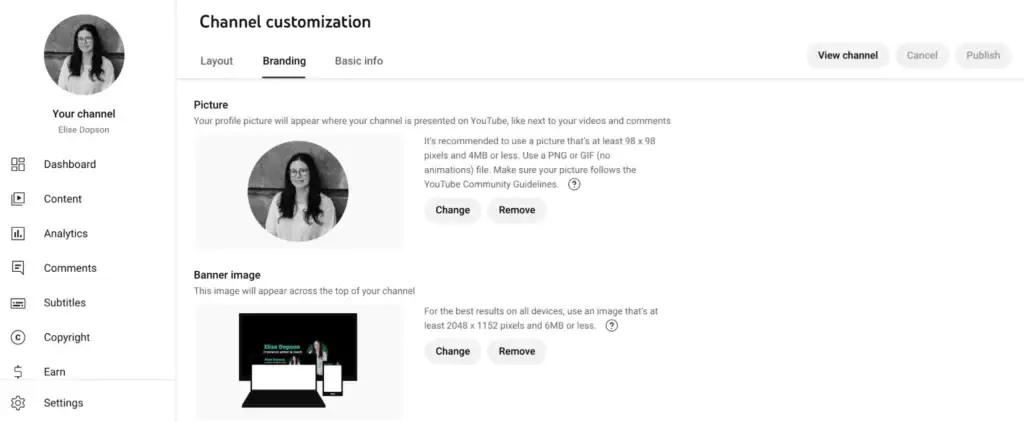
Optimizing Your Channel Banner and Profile Picture
Your profile picture and banner are your brand’s visual identity. Use a high-resolution logo for your profile picture. Your banner should show what makes you unique and your design style.
Being consistent is important for a recognizable brand. Make sure your colors and fonts match your website. This creates a smooth experience for your audience.
Writing a Compelling Channel Description with Keywords
Your channel description should tell viewers what to expect. Explain your design services and how your videos solve problems. Use keywords naturally to boost your search visibility.
Think of your description as a mini-sales pitch for your business. Keep it short, professional, and focused on the value you offer.
Branding Element
Purpose
Best Practice
Profile Picture
Brand Recognition
Use a clean, high-res logo
Channel Banner
Visual Context
Display services and schedule
Description
SEO and Conversion
Include clear value proposition
Essential Equipment for High-Quality Design Videos
High-quality production is key to making your design channel stand out. When you start a design business YouTube channel, viewers expect top-notch videos. They should match the quality of your portfolio.
Getting the right gear helps show off your skills without any distractions. Consistency in your visual presentation builds trust with viewers right away.
Choosing the Right Camera and Lighting Setup
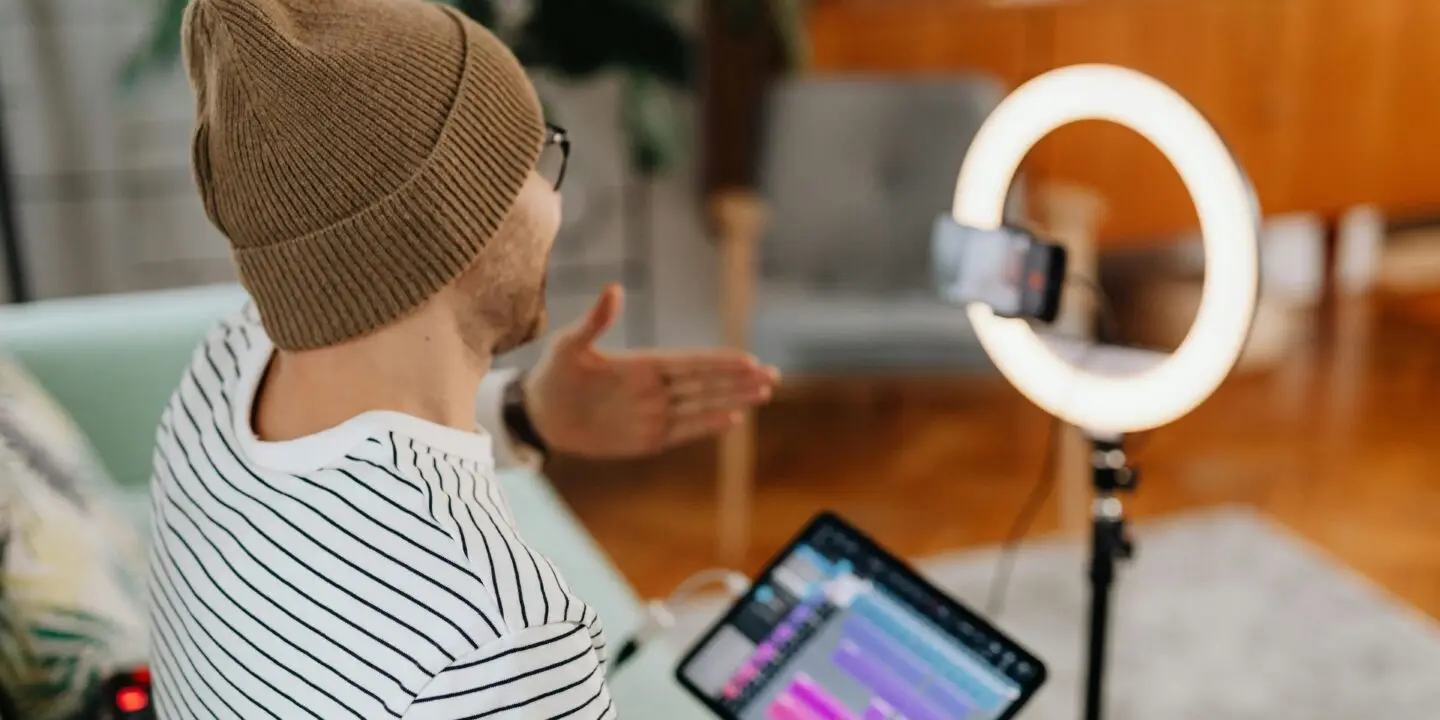
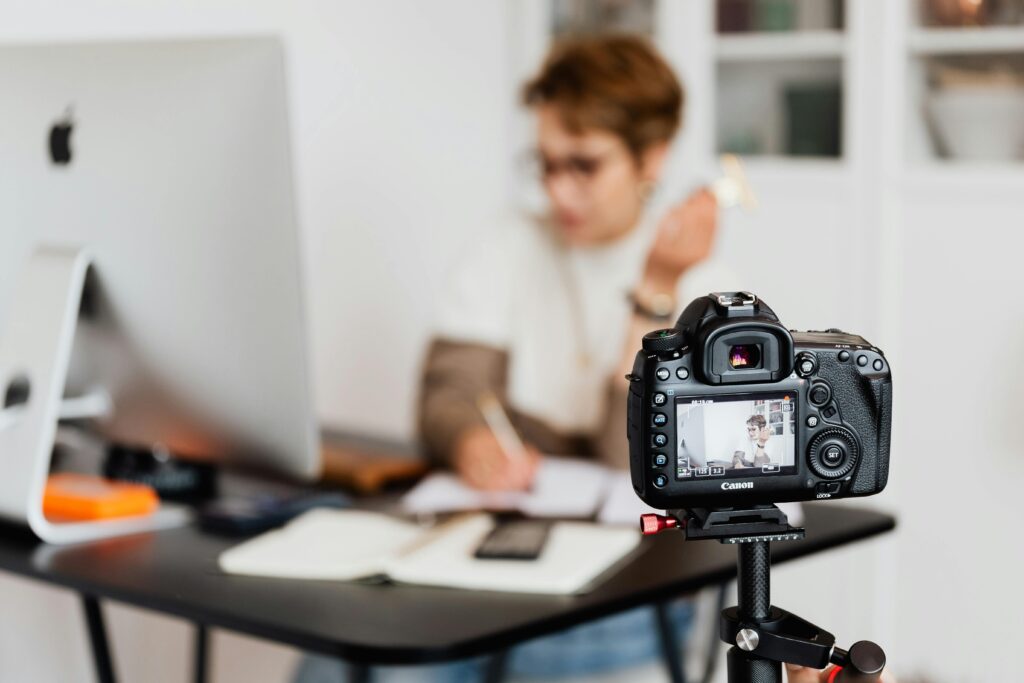
You don’t need a Hollywood studio for professional videos. A good mirrorless camera or a high-end smartphone can do the job for your design business video marketing.
Lighting is more critical than the camera. Use a softbox or ring light to avoid harsh shadows. This ensures your face is well-lit during segments.
“Quality is not an act, it is a habit.” — Aristotle
Audio Gear for Professional Voiceovers
Grainy video is forgivable, but bad audio is not. A dedicated USB microphone or lapel mic will make your voiceovers clearer.
Make sure your recording area is quiet and has no echoes. Clear audio is essential for keeping viewers interested in your tutorials.
Screen Recording Software for Design Tutorials
Showing your screen effectively is key to designing tutorials. Tools like OBS Studio or Camtasia are reliable for high-quality captures.
For editing, DaVinci Resolve’s free version is great for most creators. The Studio version offers advanced AI voice-editing tools to refine your design business video marketing content.
Microphone: Choose a cardioid-pattern mic to reduce background noise.
Lighting: Use three-point lighting for a professional, dimensional look.
Software: Leverage DaVinci Resolve for professional-grade color grading and cutting.
How to start a YouTube channel for your design business with a content plan
Starting a YouTube channel for your design business needs a solid content plan. You can’t just upload videos randomly. You need a strategy. A good plan makes sure each video has a purpose in your sales funnel.
Brainstorming Video Ideas That Attract Clients
Your content should solve your audience’s problems, not just show off your skills. For example, if you work in branding, make videos that show how a strong visual identity boosts sales.
Don’t try to cram too much into one video. Think of your content as a puzzle. Each piece should connect to the next. This keeps viewers interested and encourages them to watch more.
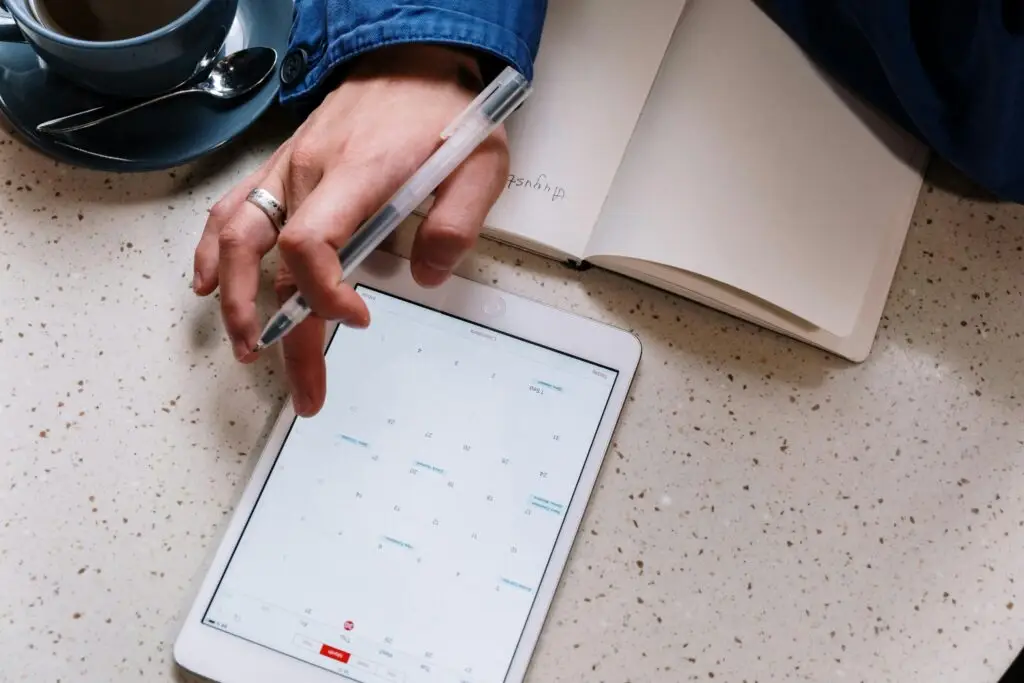
Structuring Your Content Calendar for Consistency
Being consistent is key to a successful channel. Use a content calendar to plan your videos weeks ahead. This helps avoid burnout. These YouTube design channel tips suggest filming in batches for a steady flow of quality videos.
Your calendar should include time for research, scripting, and editing. Sticking to a schedule means your audience knows when to expect new content from you.
Balancing Educational Tutorials and Portfolio Showcases
It’s important to mix your content correctly. You need to teach through tutorials and show your skills through portfolio showcases. Use the table below to plan your content strategy.
Content Type
Primary Goal
Frequency
Educational Tutorials
Build Trust & Authority
60% of content
Portfolio Showcases
Demonstrate Results
30% of content
Behind-the-Scenes
Humanize Your Brand
10% of content
A successful content strategy rarely begins with uploading random videos. By balancing these types of content, you offer value and keep your goals in mind. Remember, creating a YouTube channel for a design business is a long-term effort.
Follow these YouTube design channel tips to keep your content relevant and professional.
Take 15 minutes this week to evaluate:
who your ideal audience is
which design problems you can solve consistently
what topics align with your expertise
whether your content supports your long-term business goals
The strongest channels are built through intentional strategy—not constant content creation.
Mastering Video Production for Designers
Turning your creative ideas into professional videos needs both technical skills and a consistent brand look. When creating a YouTube channel for a design business, the quality of your videos shows how skilled you are. You don’t need a huge crew to make videos that keep viewers hooked from the start.
Basic Editing Techniques for Engaging Visuals
First, learn to edit simply. Focus on pacing by cutting out long pauses and mistakes. This keeps your videos engaging and focused.
Use transitions only when needed to keep a clean look. Simple cuts work better than fancy effects for design tutorials. By cutting out the extra, you show off your technical skill in a polished way.
Incorporating Your Brand Identity into Video Assets
Your videos should show off your design style. One key tip for YouTube design channels is to use a consistent watermark. A 1600×1600 px watermark makes your brand easy to spot, even when shared.
Make sure your videos match your website and social media. A consistent look builds trust with your audience. When every video looks like your brand, you strengthen your professional image with each upload.
Best Practices for Screen Recording Design Workflows
Good screen recordings are key for a design channel. Always record at high resolution so viewers can see your work clearly. Clear visibility is key for teaching complex design skills.
Here’s a table to help pick the right production approach:
Production Element
Recommended Action
Benefit
Screen Resolution
1080p or 4K
Sharp text and icons
Watermark Size
1600×1600 px
Subtle brand recognition
Audio Quality
External Microphone
Professional voice clarity
Editing Style
Clean Cuts
High viewer retention
Remember, your screen recording should be easy to follow. Zoom in on tools or menus when explaining new concepts. These tips will help you engage your viewers and grow your business.
Optimizing Your Videos for Search and Discovery
When you start a YouTube channel for your design business, mastering discovery is key. YouTube is like a huge search engine. Your videos can appear at the top of search results if they’re well indexed. This helps attract new clients to your services.
Writing Click-Worthy Titles and Descriptions
Your video title is the first thing viewers see. Aim for titles that grab attention and include relevant search terms. Steer clear of clickbait that might mislead viewers, as it can harm your reputation.
Descriptions should clearly summarize your video’s content in the first two sentences. Include your main keywords to help YouTube’s algorithm understand your topic. Adding timestamps can also help viewers find specific parts of your tutorials more easily.
Designing High-CTR Thumbnails for Design Content
A high click-through rate (CTR) depends on your visual appeal. As a designer, your thumbnails should show your professional aesthetic and skill. Use bold colors and clear text to make your video pop in a crowded feed.
Use close-up shots of your design work to create visual interest.
Keep text overlays minimal to avoid cluttering the small image.
Maintain consistent Design business branding on YouTube by using your signature color palette.
Test different layouts to see which styles resonate most with your target audience.
Using Tags and Categories Effectively
Tags give YouTube more context about your video’s topic. While they’re not as important as titles, they help categorize your content. Use a mix of broad and specific keywords to attract different types of searches.
Choosing the right category is also key to your Design business branding on YouTube. Pick “How-to & Style” or “Education” to reach the right audience. Proper categorization ensures your work reaches people who might need your services.
Promoting Your Design Business Through YouTube
To make your YouTube channel a marketing success, you need a solid plan. When you start a YouTube channel design business, your main goal is to connect your creative work with your audience. By sharing your content, you make sure your skills reach the right people at the right time.
Integrating YouTube Links into Your Portfolio Website
Your portfolio website is your main hub for showing off your work. Adding your latest videos or case studies directly to your site makes for a seamless experience for visitors. This keeps them interested and lets them see how you design.
When you hit 100 subscribers, get a custom channel URL. This step boosts your design business branding on YouTube by making your link easy to remember. Use this link on your website to send people to your videos.
Leveraging Social Media to Drive Traffic to Videos
Social media is a great way to share your videos. Post short clips or sneak peeks on Instagram, LinkedIn, or X to grab attention. Always link to the full video to get people to visit your channel.
Being consistent is important when you start a YouTube channel design business. Regular posts on social media keep your audience interested in your latest work. This builds excitement for your new videos.
Engaging with Your Community in the Comments Section
The comments section is more than just feedback; it’s a key to building relationships. Answering questions and comments shows you care about your audience. This builds trust and strengthens your design business branding on YouTube.
Reply promptly to comments to encourage more discussion.
Ask open-ended questions to get feedback on your design methods.
Use the community tab to poll your subscribers on future video topics.
YouTube works best when it operates as part of a larger content ecosystem rather than a standalone platform. Social Media Strategies For Your Design Business Growth explores how designers use multiple platforms together to strengthen audience engagement and business visibility.
Analyzing Performance and Scaling Your Channel
To grow your design business on YouTube, you need more than creativity. It’s about using data to improve. Success takes time, and dealing with setbacks is part of the journey. Every video is a chance to learn and improve your next one.
Understanding YouTube Analytics for Designers
To reach more people, look beyond just views. Focus on Click-Through Rate (CTR) and Average Percentage Viewed. These show how well your thumbnails and content work.
Designers often find that technical tutorials keep viewers watching. Use the YouTube Studio to see which topics keep people interested. This helps you focus on what to make more of in the future.
Iterating Based on Viewer Retention Data
Viewer retention graphs help spot pacing issues. If viewers drop off early, your intro might be too long or not grab their attention. Small changes in editing can make a big difference in watch time.
“Success is not final, failure is not fatal: it is the courage to continue that counts.” — Winston Churchill
When viewers lose interest, figure out why. Maybe you spent too much time on something, or the audio wasn’t good. Use this to make your next video better.
Metric
What it Measures
Goal for Designers
CTR
Thumbnail/Title appeal
Above 5%
Retention
Content engagement
Above 40%
Subscribers
Audience loyalty
Consistent growth
Scaling Production as Your Business Grows
As your design business on YouTube grows, you’ll need to work smarter. Try recording in batches to save time. This helps you keep a regular schedule without getting overwhelmed.
Later, you might want to hire help for tasks like editing or making thumbnails. Scaling your production keeps your design business on YouTube professional and efficient. Stay focused on making valuable content for your viewers.
As your YouTube audience grows, your content can evolve beyond views and subscribers into stronger recurring revenue opportunities. In How to Build a Design Paid Membership Program, we explore how designers transform audiences into communities that support long-term business growth.
Conclusion
Starting a design business on YouTube is a big step towards becoming a pro. This platform lets you reach clients worldwide and show off your creative work.
Being consistent is key to your success. Use the same fonts, colors, and style in all your videos. This makes your brand easy to spot and builds trust with viewers.
Don’t let imposter syndrome hold you back. Share your real skills with the world. Each video you make is a valuable asset that works for you 24/7. Always aim to give your audience something valuable.
See your channel’s growth as a long-term effort, not a quick fix. Stay true to your vision and keep improving your content. Your hard work will attract loyal clients in the future.
Building a successful YouTube presence is not simply about getting more views.
It is about building:
stronger authority
long-term visibility
audience trust
scalable business opportunities
a content system designed for growth
The designers who grow successfully understand that content can become one of the most valuable business assets they create.
If you are ready to strengthen your visibility and build a more sustainable creative business, continue your learning journey inside The DesignLemonade ecosystem.
What are the best YouTube design channel tips for absolute beginners?
Start with what you have. You don’t need a professional studio to begin. Focus on providing value by solving one specific design problem per video. Consistency is more important than perfection in the first few months, as it helps you find your voice and understand your audience’s preferences.
How can I effectively start a YouTube channel design business without a huge budget?
Leverage free tools. Use OBS Studio for screen recording and DaVinci Resolve for editing. Most modern smartphones have incredible cameras that are more than sufficient for “talking head” segments. Focus your limited budget on a decent microphone, as audio quality is the most critical factor for viewer retention.
Why is design business branding on YouTube so important?
Your YouTube channel is an extension of your professional portfolio. If you are selling design services, your channel’s aesthetics—including your banner, thumbnails, and on-screen graphics—must reflect your skill level. High-quality branding builds immediate trust with high-ticket clients.
How does design business video marketing help in getting new clients?
Video allows clients to see your process, hear your expertise, and get a feel for your personality before booking a discovery call. It effectively “warms up” leads, making the eventual sales process smoother because the client already views you as an authority in the design space.
What should I include when creating YouTube channel descriptions for design businesses?
Your description should include a brief overview of your expertise, a list of services you offer, and clear links to your portfolio and social media profiles. Be sure to incorporate keywords like YouTube for a design business naturally to help your channel appear in both YouTube and Google search results.
Is there a specific strategy for a design business on YouTube to generate passive income?
Yes. You can use your videos to drive traffic to digital products such as UI kits, fonts, or templates. By demonstrating how to use these tools in your tutorials, you provide a “proof of concept” that encourages viewers to purchase your assets through platforms like Creative Market or your own website.
When can I get a custom URL for my design business YouTube channel?
You are eligible for a custom channel URL once you have reached 100 subscribers, your channel is at least 30 days old, and you have uploaded a profile picture and banner image. This is a vital step for professional branding and making your channel easier to share.
Julio Cesar Falu is a graphic design educator, entrepreneur, and founder of TheDesignLemonade.com, a platform dedicated to helping creatives build profitable design businesses. With over 20 years of experience in design education, business strategy, and creative entrepreneurship, he shares practical insights on freelancing, branding, digital products, income growth, and long-term business development. His mission is to help designers move beyond creating and start building sustainable businesses and ownership-driven careers.







No Comments