Did you know 80% of organizations now use digital tools in their outreach? This change is a big chance for creative pros to grow their reach worldwide. Embracing this shift lets you connect with people globally while saving on the costs of real venues.
Learning how to host virtual events as a designer is key to your business’s growth. You can use your creative skills to create engaging experiences for your clients. This move makes you a leader in a competitive field.
Whether it’s a workshop or a gallery showcase, this guide to hosting online events will show you the way. We’ll guide you through the digital world with confidence and style.
Key Takeaways
Virtual components are now standard in 80% of modern organizational strategies.
Digital gatherings offer a cost-effective way to reach a global audience.
Designers can leverage their unique visual skills to create immersive experiences.
Mastering digital platforms establishes you as a forward-thinking industry leader.
Strategic planning is essential for successful online engagement.
Many designers limit their reach because they only rely on portfolio posts, client work, or one-on-one conversations to grow their audience.
Virtual events can help you build:
stronger visibility
deeper audience trust
educational authority
scalable client relationships
new opportunities beyond local markets
Download the FREE Design Business eBook and start building a stronger foundation for growing your creative business online.
Creating a virtual event is like working on a creative project. You need a clear plan before you start with the technical stuff. This plan helps your event connect with your audience and grow your business.
Identifying Your Target Audience and Niche
To be noticed online, you can’t just make generic content. Identifying your specific niche lets you talk directly to your ideal clients. This way, you become a trusted expert in your field.
Ask yourself these questions to narrow down your focus:
What design problem can I solve for my audience?
Who are my attendees—designers, clients, or students?
What makes my perspective unique?
Setting Clear Objectives for Your Creative Business
Every designer’s virtual event planning project needs clear goals. Whether it’s to boost your brand or get quality leads, your goals shape your content. Without them, it’s hard to see if you’re getting a good return.
“Strategy is not just about what you do, but about what you choose not to do to stay focused on your core mission.” — Design Business Philosophy
Setting your goals early helps you focus your message. This keeps your brand voice consistent online.
Choosing the Right Event Format
Choosing the right format is key to good virtual event hosting. It should match the depth of your content and the interaction you want with your audience.
Here are some formats to consider:
Webinars: Short, educational sessions are great for training or getting leads.
Interactive Workshops: Good for hands-on learning and practicing new design skills.
Panel Discussions: Perfect for discussing industry trends with several experts.
Choosing the right format keeps your audience engaged. When your format fits your goals, you create a memorable experience for your attendees.
A strong virtual event strategy becomes much easier to execute when your promotional content is planned in advance. In Creating a Social Media Content Calendar for Your Design Business, we explore how designers organize content, maintain consistency, and build stronger audience engagement across digital platforms.
Essential Tools and Technology for Designers
Your technical setup is like a digital stage for your creativity. When you focus on virtual event management for designers, your audience can focus on your message. A well-set environment builds trust and authority right away.
Selecting Reliable Video Conferencing Platforms
Choosing the right platform is key to hosting virtual events. You need something stable, with high-quality streaming, and interactive features. Zoom, Riverside, or Hopin are great for professional sessions.
Think about your event’s needs before picking a platform. For large webinars, choose platforms that handle large numbers of attendees well. Reliability is key to a stress-free experience for everyone.
Hardware Requirements for Professional Audio and Visuals
Your virtual event setup for designers needs top-notch hardware. A clear microphone is essential to keep your audience engaged. A dedicated USB microphone or headset will boost your production quality.
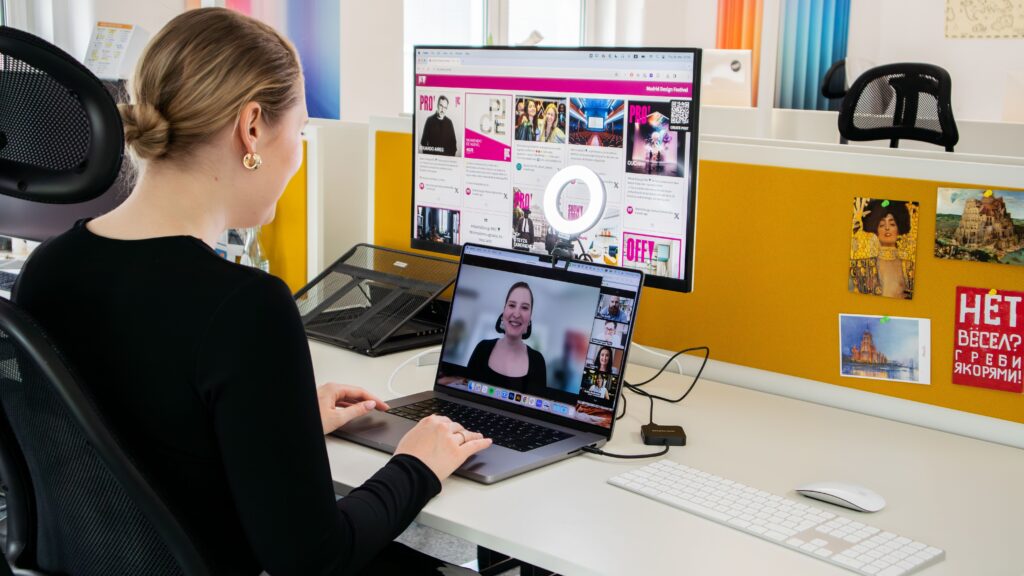
Lighting is also important for your presentation. A ring light or softbox setup can make your video look professional. Add a high-definition webcam for sharp visuals.
Integrating Design Software for Live Demonstrations
To show your creative process, integrate your design software into your stream. Adobe Creative Cloud, Figma, or Miro let you share your screen and show complex workflows live. This hands-on approach adds huge value to your audience.
Always test your screen-sharing before going live to avoid problems. Using a secondary monitor helps you manage chat, notes, and tools simultaneously. Proper preparation makes your live demos smooth, engaging, and informative for all.
How to Get Started with Hosting Virtual Events as a Designer
Designing a virtual event needs the same care as your client projects. Understanding the process is key to creating a memorable experience for your audience. By learning how to get started with hosting virtual events as a designer, you can grow your influence and attract clients worldwide.
Step One: Planning Your Event Timeline and Content
Good designer virtual event planning starts with a clear plan. Create your event timeline at least six weeks before. This ensures you cover all the details.
Divide your content into easy-to-follow parts, like live demos, Q&A, and networking breaks. This keeps your attendees interested.
Make a story arc for your event. This guides your participants through the experience. By planning your content, you keep your message strong from start to finish.
Step Two: Setting Up Your Registration and Landing Page
Your landing page is your event’s digital front door. It must look good and have all the info to get people to sign up. Use a professional platform to collect attendee data. This helps you better understand your audience for future marketing.
Build excitement by showing the value of your session on the registration page. Clear calls to action and a unified design will boost sign-ups. This also shows your brand’s authority early on.
Step Three: Testing Your Technical Setup and Workflow
Even the best event can fail if the tech doesn’t work. This designer’s guide to virtual event planning stresses the importance of testing your tech and workflow before the event. Do a full rehearsal to find any tech problems.
Check your internet speed, microphone quality, and screen-sharing during your test. Taking these steps ensures a smooth experience for your attendees. This lets you focus on delivering top-notch creative content.
Designing Engaging Visual Presentations
As a designer, you can make presentations that are both stunning and useful. Your visual presentation is the core of your event, grabbing attention and showing your expertise. Learning these virtual event hosting essentials helps you share complex ideas clearly and stylishly.
Creating Cohesive Slide Decks and Visual Assets
Your slide deck should show your unique style but also be professional. Keep it simple by focusing on one idea per slide. Use great typography and white space to guide the viewer’s eye.
Stick to a consistent color palette and font choices. This makes your presentation look polished and thoughtful.
Think about adding custom icons or illustrations that match your brand. These small touches make your content stand out. When your visuals match, your message gets through without distractions.
Incorporating Interactive Elements to Boost Participation
Make your presentation interactive to keep viewers engaged. Use live polls to get feedback from your audience. This turns your presentation into a dynamic conversation instead of a one-way show.
Include live Q&A sessions to address questions and build rapport. You can also use interactive whiteboards or design prompts to get people involved. These methods keep your audience excited and invested in your event.
Maintaining Brand Consistency Across Digital Touchpoints
Your event should reflect your brand identity at every touchpoint. From registration to follow-up emails, consistent branding shows your professionalism. When attendees see the same look everywhere, they trust you more.
The following table outlines how to align your visual strategies for maximum impact:
Visual Element
Purpose
Impact on Audience
Custom Slide Decks
Visual Storytelling
High Engagement
Live Polls
Active Participation
Increased Retention
Brand Assets
Identity Recognition
Professional Authority
Interactive Q&A
Direct Connection
Community Building
By following these best practices for hosting virtual events as a designer, you make every interaction meaningful. Your focus on quality design sets your events apart in a crowded online world.
A successful virtual event is not built through technology alone. It is built through clarity, audience connection, and intentional experience design.
Take 15 minutes this week to evaluate:
what topic your audience would genuinely find valuable
which format best supports your teaching style
how your visuals could improve engagement
what next step attendees should take after the event
The strongest virtual events are designed with a purpose—not simply hosted online.
Marketing Your Event to a Creative Audience
You can make your event a must-see by mastering digital promotion. Good marketing is key to getting your work seen. This designer’s guide to virtual event planning helps you create buzz in your community.
Leveraging Social Media for Event Promotion
Visual stories are your best tool for creative audiences. Share prep work on Instagram or Pinterest. Authenticity speaks to designers who love the journey as much as the end.
Hashtags on social media can help spread your event far and wide. Use a special hashtag to track and boost excitement. This makes your followers part of your event’s story.
Building Email Campaigns That Convert
Email is a strong tool for getting people to sign up. Send messages that offer real value. Give a sneak peek or a free resource to show you care.
“Marketing is no longer about the stuff that you make, but about the stories you tell.” — Seth Godin
Your emails should have a clear call to action. Keep your design simple and professional. A good email series builds excitement and keeps your event in mind.
Collaborating with Influencers and Peers in the Design Industry
You don’t have to promote alone. Working with influencers and peers can open new doors. This designer’s guide to virtual event planning shows that credibility comes from partnerships.
Find industry leaders that match your event’s theme.
Give influencers special access to share your event.
Host joint Instagram Live sessions to talk about your event and connect with more people.
Collaboration increases your event’s reach and adds credibility. These partnerships build a lasting sense of community.
Promoting a virtual event is not just about getting attention—it is about creating content that moves people toward action. Create Content That Turns Visitors into Clients for Your Design Business explores how designers use strategic messaging, trust-building content, and clear conversion pathways to attract stronger business opportunities.
Managing Logistics and Attendee Experience
Effective virtual event management for designers relies on behind-the-scenes logistics. Your creative content attracts people, but the operational details keep them engaged. By balancing organization with empathy, you create a welcoming space that shows your brand’s quality.
Streamlining the Check-in and Onboarding Process
First impressions are key, even online. Aim to make joining your session easy. A smooth onboarding process avoids tech issues and sets a positive tone.
Send clear, automated welcome emails with direct access links.
Provide a simple “how-to” guide for your chosen platform.
Offer a brief pre-event tech check to help guests feel prepared.
Moderating Q&A Sessions and Live Chats
Active participation is key to a successful event. But you must keep the conversation productive. Strong moderation is essential for live chats.
Assign a moderator to filter questions and highlight the most relevant ones. This lets you focus on your presentation while ensuring audience voices are heard. Thoughtful moderation turns a standard lecture into a dynamic, community-driven experience.
Gathering Feedback to Improve Future Events
Your work doesn’t end when the stream stops. To grow, understand what worked and what didn’t. Post-event surveys are key for gathering data to show ROI to partners or sponsors.
Use these insights to improve your virtual event management for the designers’ strategy for the next event. Consistently acting on feedback shows you value your community’s time and input. This cycle of evaluation helps build a more profitable and impactful creative business over time.
Monetization Models for Creative Professionals
Your virtual event setup for designers can be a big money-maker. By using smart financial plans, you can earn more than just from entry fees. This way, you get paid for your skills and help your business grow.
Implementing Tiered Ticket Pricing
Tiered pricing lets you reach different parts of your audience. You might have a General Admission ticket for live events. Then, the VIP Tier offers special perks such as networking and portfolio reviews.
This approach makes your event affordable for new designers. At the same time, it offers more for experienced ones. Segmenting your pricing boosts both attendance and earnings.
Offering Exclusive Digital Downloads and Resources
Adding digital goodies can make your event more valuable. Think about giving away unique templates, brush sets, or checklists. These items are hard to find elsewhere.
These tangible takeaways keep your brand in mind long after the event. When you package them with higher tickets, you offer a great deal. This makes the investment worth it for your attendees.
Securing Sponsorships from Design Tool Providers
Working with tool providers can change your game. These companies want to reach creative pros who already use their tools.
You can give sponsors a spot in your event. This could be through logos, demos, or special sessions. Strategic partnerships bring in money and boost your event’s credibility. It’s good for everyone involved.
Virtual events can become more than one-time experiences when they are connected to a larger community or recurring revenue model. In How to Build a Design Paid Membership Program, we explore how designers turn educational content, audience trust, and community engagement into sustainable membership-based business opportunities.
Troubleshooting Common Virtual Event Challenges
Even the most experienced designers face unexpected problems when hosting live digital events. You can’t predict every glitch, but you can prepare for them. Using effective virtual event hosting tips helps you stay calm and keep your audience engaged, no matter what happens.
Handling Technical Glitches and Connectivity Issues
Technical failures are a big worry for many. To reduce these risks, have a secondary internet connection, like a mobile hotspot, ready. Test your setup at least an hour before going live. This is a key best practice for designers hosting virtual events.
If your main platform lags, don’t panic. Have a backup link ready to share via email or chat. Keeping your audience informed shows you’re in control and builds trust.
Managing Unexpected Disruptions During Live Sessions
External factors like background noise or unwanted guests can interrupt. The key is to acknowledge the issue briefly and then move on with a smile. Professionalism is about how you handle the unexpected, not about being perfect.
Assign a moderator to manage the live chat and filter out distractions. This lets you focus on your presentation while someone else handles moderation. Having a plan for these moments ensures your event is top-notch.
Ensuring Accessibility for All Attendees
Inclusivity is key to a successful creative business. Make sure to include accessibility features like closed captions and screen reader compatibility. These features let everyone fully engage with your content.
By making your event accessible, you show you value every attendee. This commitment to inclusivity is a critical best practice for designers hosting virtual events. Use the table below to prepare for common issues.
Challenge
Immediate Action
Long-term Solution
Internet Outage
Switch to mobile hotspot
Use a hardwired ethernet cable
Audio Feedback
Mute all participants
Use a dedicated external microphone
Software Crash
Restart the application
Pre-record segments as a backup
Accessibility Gap
Provide live transcript link
Enable auto-captioning tools
Following these virtual event hosting tips helps build a resilient brand. When you plan for the worst, you can focus on delivering your best creative work.
Conclusion
Hosting virtual events is a great way to grow your design business. It lets you connect with creatives worldwide. You can share your artistic vision with others.
This guide helps you start your first event with confidence. By using good planning and tech, your events will be memorable. They will stand out online.
Each event is a chance to learn and improve your skills. You’ll connect more with your audience and show your expertise. Use this guide to make your talents into a successful business.
Your journey as a virtual host begins now. Follow these steps to share your knowledge, inspire others, and expand your brand globally.
Hosting virtual events as a designer is not simply about running an online presentation.
It is about building:
stronger audience relationships
scalable teaching opportunities
professional authority
community trust
a business foundation designed for long-term growth
The designers who grow successfully understand that events can become powerful entry points into a larger ecosystem of content, services, products, and community.
If you are ready to strengthen your online presence and grow your creative business more intentionally, continue your learning journey inside The DesignLemonade ecosystem.
What are the first steps for getting started with hosting virtual events as a designer?
Start by defining a clear virtual event strategy. Identify a niche where your expertise shines, like UX/UI or brand storytelling. Set measurable objectives, like lead generation or community building. Use an online events hosting guide to plan your content and choose a format. This could be a short, impactful webinar that aligns with your goals.
What are the most effective virtual event hosting tips for maintaining audience engagement?
Engagement comes from interaction and quality visuals. Use your design skills to create cohesive slide decks with tools like Canva or Keynote. Add interactive elements like live polls via Mentimeter or Q&A sessions. These practices turn a passive viewing into a collaborative, memorable experience.
What is required for a professional virtual event setup for designers?
A professional presentation shows your brand’s authority. You’ll need a reliable video conferencing platform like Zoom or RingCentral. Also, a high-quality external microphone and professional lighting are essential. Make sure your hardware can run live software demos smoothly without lag.
How can I streamline virtual event management for designers while running a busy studio?
Automation is your ally. Use platforms like Squarespace or Eventbrite for registrations and email reminders. This lets you focus on creating content, not admin tasks. Test your setup 48 hours before the event to ensure a smooth experience for your audience.
What are the best ways to monetize a virtual event as a creative entrepreneur?
Consider tiered ticket pricing for different access levels. Offer exclusive digital downloads, like design templates or guides, as add-ons. Look for sponsorships from industry leaders like Adobe or Wacom.
Why is a designer’s guide to virtual event planning necessary for business growth?
Hosting virtual events lets you reach a global audience with low costs. Mastering this skill makes you a forward-thinking leader. A designer’s guide helps you scale your influence, show your process live, and build a community around your brand.
How should I handle technical glitches during a live session?
Preparation is key to handling glitches professionally. Have a backup plan, including a spare internet connection and pre-recorded demos. If a glitch happens, stay calm and communicate with your audience. Provide accessibility features, like closed captions via Rev or screen reader compatibility, to include all attendees.
How can I effectively market my event to other design professionals?
Use visual storytelling on Instagram and LinkedIn to showcase your event. Use specific hashtags to boost the conversation. Collaborate with peers or influencers to reach more people. Email marketing is also effective. Build a sequence that delivers value before the event, and make sure your call to action is clear.
Julio Cesar Falu is a graphic design educator, entrepreneur, and founder of TheDesignLemonade.com, a platform dedicated to helping creatives build profitable design businesses. With over 20 years of experience in design education, business strategy, and creative entrepreneurship, he shares practical insights on freelancing, branding, digital products, income growth, and long-term business development. His mission is to help designers move beyond creating and start building sustainable businesses and ownership-driven careers.








One reply on “How to Get Started with Hosting Virtual Events as a Designer”
Great article! I’ve been using Claude Fable 5 () for similar projects. Claude Fable 5