Did you know that over 70% of successful software ventures started with no funding? Your creative vision is your most valuable asset. It’s key in the development process.
Many think you need a big budget or a tech degree to build software. But launching your own app product as a designer for free is possible. You just need modern no-code tools and a good plan.
This path lets you turn your art skills into a sustainable business model. By using accessible resources, you keep your creative voice. You can also move through the business world with confidence.
Key Takeaways
Leverage your existing design skills to bypass high development costs.
Utilize no-code platforms to build functional software efficiently.
Focus on solving specific user problems to ensure market viability.
Maintain your unique creative identity throughout the development cycle.
Adopt a strategic roadmap to scale your business sustainably.
Many designers believe creating an app requires a development team, funding, or years of technical experience.
Today, successful digital products can often be built with:
strong design thinking
user-focused problem solving
no-code platforms
strategic validation
systems designed for scalable growth
Download the FREE Design Business eBook and start exploring new opportunities to turn your creative skills into digital products.
Creating a successful app begins long before you start designing. You need a clear foundation that shows your app adds real value. Aligning your idea with market needs turns it into a viable business.
Identifying a Problem Worth Solving
The best apps solve real, annoying problems. As a designer, you can make these complex issues simple and easy to use. Start by looking at your own life or listening to what others complain about.
See if the problem keeps coming up and if people are using bad workarounds. If you can make a process better or remove a hurdle, you have a viable concept. Aim to create something essential, not just pretty.
Conducting Competitor Research on a Budget
You don’t need a lot of money to understand the market. Look at other apps in your area to see what they do and what they miss. Use free tools like App Store reviews, social media, and competitor sites for valuable insights.
Find areas where they lack features or have poor user experiences. This research helps you stand out by giving users what they really want. Here’s how to do it affordably.
Research Method
Primary Goal
Estimated Cost
App Store Reviews
Identify user complaints
Free
Competitor UI Audit
Analyze design flaws
Free
Social Media Polls
Gauge interest levels
Free
Keyword Search
Understand user intent
Free
Validating Your Idea with Real Users
After you have an idea, test it with real people. Share your thoughts with your network or online design groups. Ask if they would find your solution genuinely helpful in their lives.
Pay attention to their feedback, even if it’s hard to hear. This iterative learning is key to making your idea better before you start building. By focusing on what users need, you boost your chances of success.
Leveraging Free App Design Resources and Tools
You can turn your creative ideas into real apps without spending a lot. There are many free app design resources available. By picking the right app design software, you can keep your project affordable and efficient from the start.
Utilizing Figma for Collaborative Design
Figma is a top choice for a reason. It lets you design, test, and get feedback all in one place. You don’t need to pay for expensive software.
With these designer app tools, you can share your work with others in real-time. This teamwork helps spot problems early, saving you time later.
Accessing Free Iconography and Typography Libraries
A good app looks great thanks to its fonts and icons. You don’t need to hire someone to make it look professional.
Here are some top places for free, high-quality assets:
Google Fonts: A huge library of free fonts that are easy to use.
FontAwesome: Great for icons that fit any app style.
Unsplash: Perfect for high-quality, free photos to tell your story.
Finding Royalty-Free Assets for Your Interface
Being efficient is key for designers. Using pre-made templates can save you a lot of time and money.
Jotform’s AI App Builder has over 700 free templates. This can really speed up your app creation work. These tools help you focus on what makes your app special, while using proven designs for common features. Learning to use these designer app tools lets you make a strong app without a big budget.
Launching an app without coding becomes much more achievable with modern no-code platforms and proven development workflows. In How Designers Can Build a SaaS Product Without Coding Today, we explore how designers transform ideas into software products using accessible tools and scalable systems.
Mastering App UI/UX Design Without Breaking the Bank
Improving your mobile app design is all about strategy. It’s about mixing looks with function without spending a lot. By sticking to key principles, you can make a digital product that really stands out.
“Design is not just what it looks like and feels like. Design is how it works.” — Steve Jobs
Applying Design Systems for Consistency
A design system is your guide, making sure your app looks like it belongs together. By setting your colors, fonts, and parts library early, you avoid a lot of redo work. This disciplined approach keeps your app looking good as it grows.
Being consistent builds trust with users. When things work the same way, users feel more at ease. Here are some key things to standardize:
Global Styles: Pick your main and secondary colors.
Typography Scale: Decide on font sizes for headings and body text.
Component Library: Make buttons, cards, and forms that you can use over and over.
Focusing on User-Centric Navigation Patterns
Good app ui/ux design makes it easy for users to find what they need. If they can’t find it fast, they’ll leave. Focus on navigation that feels natural and easy to use.
Pattern Type
Best Use Case
User Benefit
Tab Bar
Primary navigation
Quick access to main sections
Hamburger Menu
Secondary features
Cleans up the interface
Gesture Control
Modern interactions
Feels fluid and natural
Optimizing Accessibility for a Wider Audience
Real innovation in app ui/ux design means making it for everyone. Making your app accessible is not just the law; it’s the right thing to do. It lets more people use your app.
Start by checking your color contrast to make sure text is easy to read. Use clear labels for icons so screen readers can understand your app. When you make your app inclusive, you make it better for everyone.
The most successful apps rarely begin with complex technology. They begin with a clear understanding of user needs.
Take 15 minutes this week to evaluate:
what problem you are uniquely positioned to solve
whether people actively experience that challenge today
how your design expertise could improve the experience
what the simplest version of your solution might look like
The strongest products solve meaningful problems before they add complex features.
Prototyping Your Vision Using Free Software
Prototyping is key to turning your idea into a real product. With the right designer app tools, you can make your ideas come to life. This way, your product will match your vision and save you time and money.
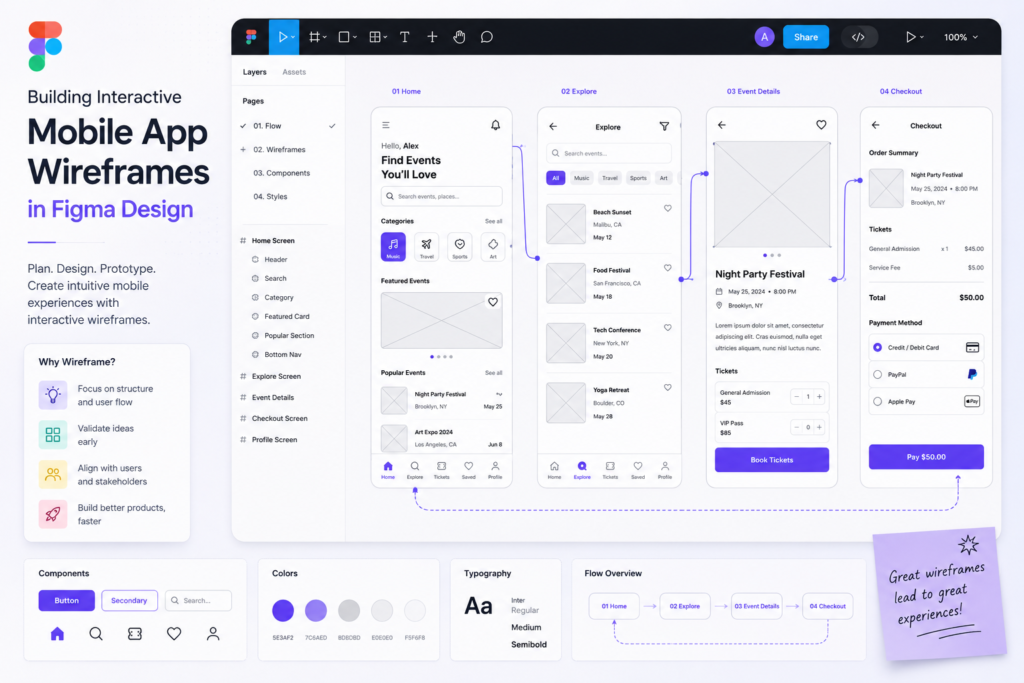
Building Interactive Wireframes in Figma
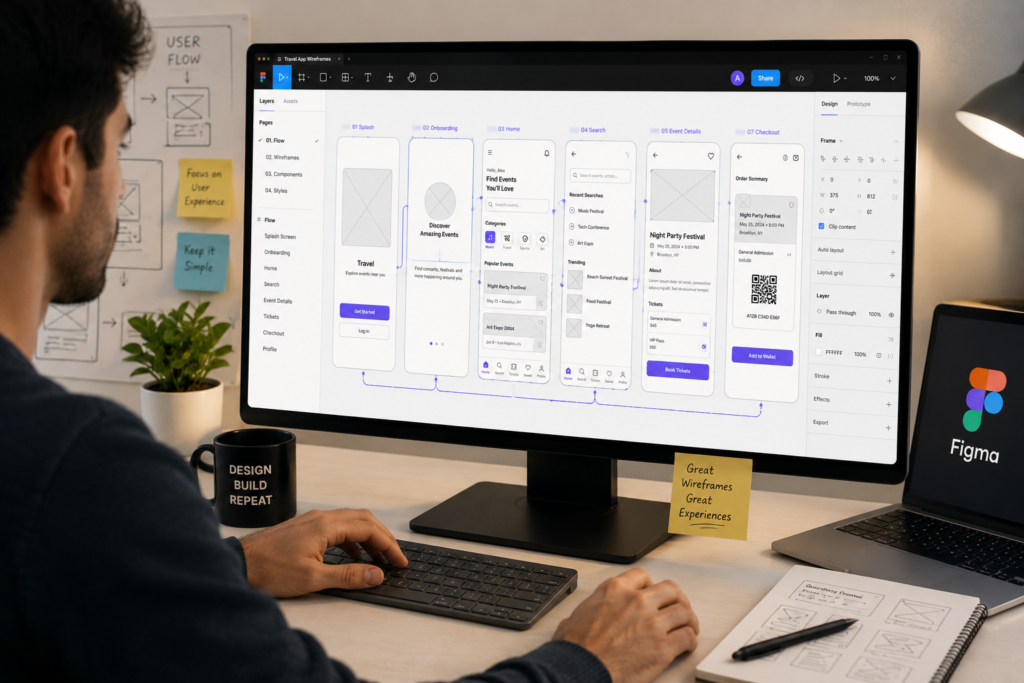
Figma is the top app design software. It’s great for solo creators. With Figma Make, you can make interactive wireframes just by talking about them. It’s like having a magic tool that builds your screens for you.
After the basic layout is set, you can make it your own. This saves you from doing the same thing over and over. You can focus on improving the app, not just on drawing everything.
Testing User Flows with Low-Fidelity Prototypes
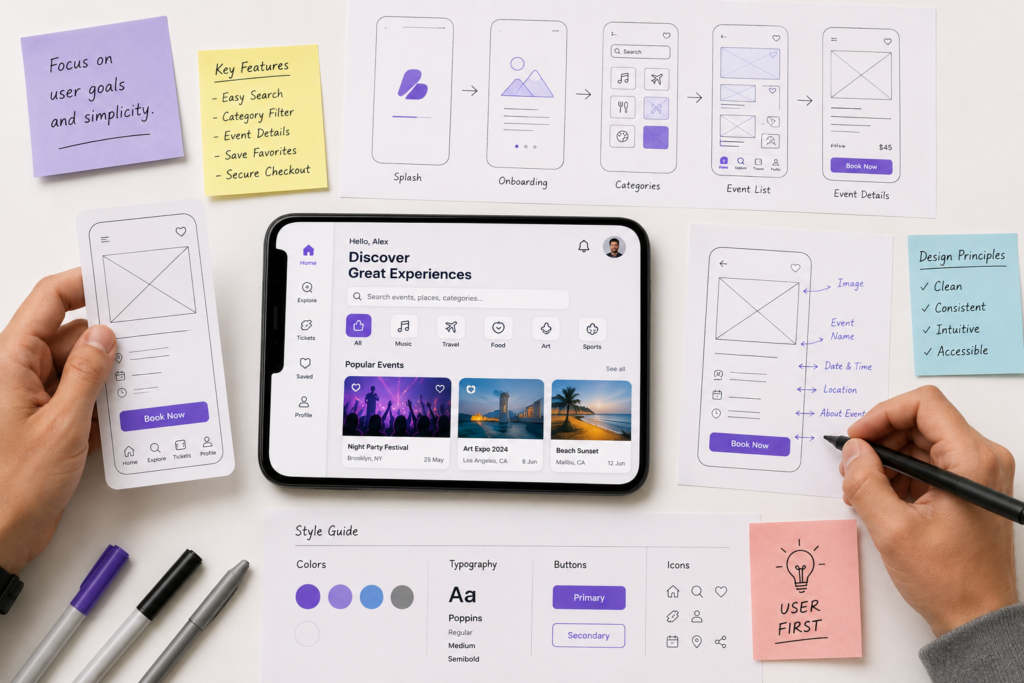
Testing your app’s flow with simple sketches is a smart move. These sketches help spot problems early. They focus on how the app works, not how it looks.
Find out where users might get stuck.
Check if your app is easy to navigate.
Make sure important features are easy to find.
Gathering Feedback Before Writing Code
Good app prototyping lets you get feedback before coding. Show your prototype to a few people to get real feedback. This way, you can make your app better based on how people use it, rather than just guessing.
Method
Primary Benefit
Effort Level
Paper Sketches
Rapid Ideation
Low
Figma Wireframes
Interactive Logic
Medium
High-Fidelity Mockups
Visual Polish
High
Listening to feedback is what makes a designer great. Your app will be stronger when it’s been tested by others. See this stage as a key part of making your app successful.
Navigating the Technical Side of App Development
The technical barriers that once hindered designers are rapidly disappearing. You no longer need to be a software engineer to bring your complex ideas to life. Modern app development tools make it easy to turn your creative concepts into functional, high-quality products.
Exploring No-Code Platforms for Designers
No-code platforms have changed how creators build software. For example, Glide lets you turn simple spreadsheets into powerful, AI-driven applications instantly. Jotform’s AI App Builder also lets you chat with an intelligent assistant to create custom solutions without coding.
Using Bubble for Complex Logic
For projects with complex workflows, Bubble is a great choice. It offers a visual interface for handling complex logic. This makes it easy to build robust databases and multi-step user journeys. It’s ideal for designers who want more control over their app prototyping and functionality.
Utilizing Adalo for Rapid Mobile Deployment
If you’re aiming for a native mobile experience, Adalo is the way to go. It uses drag-and-drop components for rapid mobile deployment. You can see your design come to life on a smartphone screen in just hours.
Understanding the Basics of Backend Integration
To master the technical side of app development, you need to understand how data moves behind the scenes. Knowing how your front-end interface connects to a database or an external API is key. This knowledge keeps your app prototyping phase grounded in reality.
Data Storage: Learn how to organize your information in tables.
API Connections: Discover how to pull data from third-party services.
User Authentication: Implement secure login flows for your members.
By learning these basic concepts, you gain the skills to manage your project from start to finish. You’re now ready to bridge the gap between beautiful design and powerful, functional software.
Launching your own app product as a designer for free: The Build Phase
The build phase is when your idea comes to life as a digital product. It’s the shift from static designs to a working app. This is where you start launching your own app product as a designer for free, from just being a visual creator. You’ll use a structured approach to handle the production process with confidence.
Setting Up Your Development Environment
A clean workspace is key to successful app development. You need to install the appropriate software and set up local servers. An organized environment keeps your workflow smooth and prevents delays.
A well-configured code editor is very powerful. Customizing it with extensions can make you more productive. Efficiency in your setup is the first step to a smooth launch.
Managing Version Control with GitHub
Even solo founders should use GitHub. It’s a safety net for your code, tracking all changes. If something breaks, you can easily go back to a stable version.
GitHub also prepares you for growth and collaboration. It teaches you to document your progress. Treat your repository as the historical record of your creative journey.
Iterative Testing and Bug Fixing
Testing is key to a polished app. Test small parts as you build them. This approach helps find problems early, saving time and effort.
Good app development means embracing feedback and improving your app. When you find a bug, see it as a chance to make your app better. Fixing issues bit by bit ensures your app is stable and ready for users.
Preparing for App Store Optimization and Submission
Once your app is stable, focus on making it stand out. Your success depends on how well you show your mobile app design to users. Mastering store optimization ensures your vision reaches the right audience.
Crafting Compelling App Store Descriptions
Your store description is your main sales pitch. It should clearly show the unique value of your app in the first few sentences. Focus on solving a problem for the user, not just listing features.
Use clear, punchy language that speaks to your target audience. Include relevant keywords to help users find your app. But always keep it readable for humans, not just search engines.
Designing High-Converting Screenshots and Icons
Visuals grab attention first when users browse the store. Your icon should be simple, memorable, and match your mobile app design style. It’s your digital storefront.
Screenshots should show off your app’s best features. Use captions to explain the benefits of each screen. This way, users get a quick idea of what your app does.
Understanding Apple App Store and Google Play Guidelines
Apple and Google have strict quality and safety standards. Reviewing these guidelines early helps avoid rejections and delays. Compliance ensures a professional user experience.
Focus on privacy policies, age ratings, and content restrictions. Being proactive shows you’re committed to quality.
Feature
Apple App Store
Google Play Store
Review Process
Human-led, strict
Automated + Human
Visual Assets
High-res screenshots
Feature graphics + video
Primary Focus
Design consistency
Functionality and reach
Submission Fee
Annual membership
One-time registration
Mobile applications are one of many digital products designers can create to generate scalable income. In The Best Digital Products Designers Can Sell for Profit, we explore additional opportunities to diversify revenue and build stronger business assets.
Implementing Effective App Launch Strategies
Turning your idea into a real app takes more than just coding. It needs a solid launch plan. A good start gets you moving and draws in your first users. By using smart app launch strategies, your hard work in app creation will reach the right people.
Building Hype Through Social Media Channels
Social media is key to building excitement before your app is out. Share the story of how you made your app creation to make your brand relatable. This connects you with people who might use your app.
Post behind-the-scenes content showing your design process.
Create countdown timers to build excitement.
Engage directly with followers by asking for their input on final features.
Leveraging Designer Communities for Early Adoption
Designer communities are great for finding your first users. Sites like Dribbble, Behance, or Discord servers let you show your work to others who get it.
These places offer more than just users; they give constructive feedback that helps you grow. Early users here are often eager to test your app and find bugs before it’s public.
Tracking Performance Metrics Post-Launch
After your app is live, you need to watch how users use it. You must track important metrics to see how users behave. This helps you improve your app launch strategies for lasting success.
Focus on these key data points to guide your updates:
Retention Rate: Are users coming back after their first visit?
Daily Active Users: How many people use your app regularly?
Conversion Funnel: Where do users stop during setup?
Continuous improvement is key to being a successful app maker. Use the data to improve your app and keep users engaged over the long term.
Launching an app successfully requires more than building a great product. Long-term growth depends on creating systems that consistently attract, engage, and convert customers. In Grow Your Design Business with a Killer Digital Marketing Plan, we explore how designers use content marketing, audience building, lead generation, and strategic promotion to create sustainable business growth.
Conclusion
You now have the key to turn your artistic skills into a successful digital business. By learning the right tools and focusing on what users need, you’re set to tackle the challenges of app entrepreneurship.
Your journey as a designer-founder is a continuous process of learning and growth. Each step improves your product and makes it more appealing to your audience.
Don’t lose hope when you hit roadblocks. The design community is here to offer advice and spark new ideas as you grow your product.
Your future is bright. Begin creating your prototype in Figma today. Share your work on Dribbble or Twitter. The world needs the fresh ideas you can bring.
Launching your own app product is not simply about building software.
It is about building:
valuable digital assets
scalable business opportunities
recurring revenue potential
solutions that solve real problems
a foundation designed for long-term growth
The designers who succeed in product creation understand that their greatest advantage is not technical expertise—it is their ability to create experiences that people genuinely want and need.
If you are ready to expand beyond client work and explore new opportunities in digital entrepreneurship, continue your learning journey inside The DesignLemonade ecosystem.
Is it genuinely possible to succeed at launching your own app product as a designer for free of charge?
Yes, it is. You can use free design tools and no-code software to start without spending a lot. Figma helps with layouts, and Jotform’s AI App Builder handles the structure. This way, you can keep costs down while creating a professional app.
What are the best designer app tools for someone with no coding experience?
No-code platforms are the best for designers without coding skills. Glide turns spreadsheets into apps, while Bubble and Adalo offer more customization. These tools help you create live apps without coding.
How can I speed up the app prototyping phase without sacrificing quality?
Use Figma Make to quickly create interactive wireframes. This method lets you test user flows and logic fast. Start with simple prototypes to ensure your design works well before making it look polished.
Where can I find professional-grade free app design resources for my interface?
Use Google Fonts for fonts and Phosphor Icons or Lucide for icons. Unsplash offers top-notch photos for your app. These resources help your app look great, even on a tight budget.
What app launch strategies are most effective for independent designers?
Build in public and use communities to your advantage. Share your work on X (formerly Twitter) and LinkedIn to build excitement. Then, submit to Product Hunt and Maker Log to reach early adopters for feedback.
How do I ensure my app development stays user-centric during the build phase?
Keep your design consistent and intuitive. Use a design system and reusable components in your app software. This ensures your app is easy to use and accessible for everyone.
Julio Cesar Falu is a graphic design educator, entrepreneur, and founder of TheDesignLemonade.com, a platform dedicated to helping creatives build profitable design businesses. With over 20 years of experience in design education, business strategy, and creative entrepreneurship, he shares practical insights on freelancing, branding, digital products, income growth, and long-term business development. His mission is to help designers move beyond creating and start building sustainable businesses and ownership-driven careers.







No Comments